
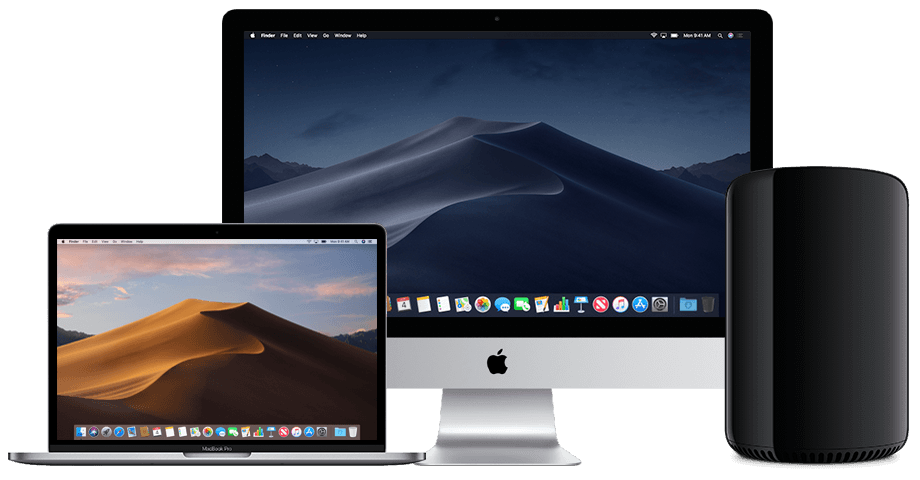
Xcode is a complete developer toolset for creating apps for Mac, iPhone, iPad, Apple Watch, and Apple TV. Xcode brings user interface design, coding, testing, debugging, and submitting to the App Store all into a unified workflow.
Downloading and updating Xcode
Mac's that came with 10.6.2 or earlier (including 10.4 and 10.5) can use the 10.6 white retail disk. Mac's that came with 10.6.3 or later need machine specific disks from Apple by calling them and providing the serial number. Mac's that orginally came with 10.7 or later cannot use the 10.6 disks. For getting the right support, here’s a genius idea. In addition to the Genius Bar for hardware repairs, you have more immediate support options. Get your questions answered by an expert via phone, chat, email, or even Twitter. From setting up your device to recovering your Apple ID to replacing the screen, Apple Support has you covered.
- See Sync photos between your Mac and iPhone or iPad. Import photos by connecting a variety of cameras and mobile devices to your Mac: Connect a camera or other mobile device and import photos and videos from the device. See Import photos from a camera or phone.
- The Mac Store, Apple Specialist at Valley River Center - Eugene, OR View info on The Mac Store, Apple Specialist store located at Valley River Center in Eugene, OR – including address, map, store hours, phone number, and more.
The current release of Xcode is available as a free download from the Mac App Store. The Mac App Store will notify you when an update is available or you can have macOS update automatically as it becomes available.
The latest beta version and previous versions of Xcode can be downloaded from the Downloads page. To download Xcode, simply sign in with your Apple ID.Apple Developer Program membership is not required.
Using Xcode
Mac Support
Get step-by-step guidance on how to use Xcode to build, test, and submit apps to the App Store.
Submitting apps to the App Store using Xcode
If you’re an Apple Developer Program member, Xcode provides an integrated workflow to prepare and submit apps to App Store. You should use the latest version of Xcode available on the Mac App Store to submit your apps, or when available, the latest GM seed release from the Downloads page.
Do not submit apps built using beta software, as beta versions of Xcode, Operating Systems, and SDKs are for development and testing only.
Learning about changes to Xcode
To learn about the latest features and capabilities in Xcode, see What’s New in Xcode. For update details in the latest released versions, including each beta release, see the Xcode Release Notes.
Minimum requirements and supported SDKs
| Xcode Version | Minimum OS Required | SDK | Architecture | OS | Simulator | Swift |
|---|---|---|---|---|---|---|
| Xcode 12.3 | macOS Catalina 10.15.4 (Intel-based Mac) | iOS 14.3 macOS 11.1 tvOS 14.3 watchOS 7.3 DriverKit 20.0 | x86_64 armv7 armv7s arm64 arm64e | iOS 9.0-14.3 iPadOS 13.0-14.3 macOS 10.9-11.0 tvOS 9.0-14.3 watchOS 2.0-7.2 | iOS 10.3.1-14.3 tvOS 10.2-14.3 watchOS 3.2-7.2 | Swift 4 Swift 4.2 Swift 5.3 |
| Xcode 12.2 | macOS Catalina 10.15.4 (Intel-based Mac) macOS Big Sur 11.0 (Apple silicon Mac) | iOS 14.2 macOS 11 tvOS 14.2 watchOS 7.1 DriverKit 20.0 | x86_64 armv7 armv7s arm64 arm64e | iOS 9.0-14.2 iPadOS 13.0-14.2 macOS 10.9-11.0 tvOS 9.0-14.2 watchOS 2.0-7.1 | iOS 10.3.1-14.2 tvOS 10.2-14.2 watchOS 3.2-7.1 | Swift 4 Swift 4.2 Swift 5.3 |
| Xcode 12.1 | macOS Catalina 10.15.4 (Intel-based Mac) macOS Big Sur 11.0 (Apple silicon Mac) | iOS 14.1 macOS 10.15.6 tvOS 14.0 watchOS 7.0 DriverKit 20.0 | x86_64 armv7 armv7s arm64 arm64e | iOS 9.0-14.1 iPadOS 13.0-14.1 macOS 10.9-11.0 tvOS 9.0-14.0 watchOS 2.0-7.0 | iOS 10.3.1-14.1 tvOS 10.2-14.0 watchOS 2.0-7.0 | Swift 4 Swift 4.2 Swift 5.3 |
| Xcode 12 | macOS Catalina 10.15.4 (Intel-based Mac) | iOS 14 macOS 10.15.6 tvOS 14 watchOS 7.0 DriverKit 20.0 | x86_64 armv7 armv7s arm64 arm64e | iOS 9.0-14.0 iPadOS 13.0-14.0 macOS 10.6-10.15.6 tvOS 9.0-14.0 watchOS 2.0-7.0 | iOS 10.3.1-14.0 tvOS 10.2-14.0 watchOS 3.2-7.0 | Swift 4 Swift 4.2 Swift 5.3 |
| Xcode 11.7 | macOS Catalina 10.15.2 | iOS 13.7 macOS 10.15.6 tvOS 13.4 watchOS 6.2 DriverKit 19.0 | x86_64 armv7 armv7s arm64 arm64e | iOS 8.0-13.7 iPadOS 13.0-13.7 macOS 10.6-10.15.6 tvOS 9.0-13.4 watchOS 2.0-6.2 | iOS 10.3.1-13.7 tvOS 10.2-13.4 watchOS 3.2-6.2 | Swift 4 Swift 4.2 Swift 5.2 |
| Xcode 11.6 | macOS Catalina 10.15.2 | iOS 13.6 macOS 10.15.6 tvOS 13.4 watchOS 6.2 DriverKit 19.0 | x86_64 armv7 armv7s arm64 arm64e | iOS 8.0-13.6 iPadOS 13.0-13.6 macOS 10.6-10.5.6 tvOS 9.0-13.4 watchOS 2.0-6.2 | iOS 10.3.1-13.6 tvOS 10.2-13.4 watchOS 3.2-6.2 | Swift 4 Swift 4.2 Swift 5.2 |
| Xcode 11.5 | macOS Catalina 10.15.2 | iOS 13.5 macOS 10.15.4 tvOS 13.4 watchOS 6.2 DriverKit 19.0 | x86_64 armv7 armv7s arm64 arm64e | iOS 8.0-13.5 iPadOS 13.0-13.5 macOS 10.6-10.15.4 tvOS 9.0-13.4 watchOS 2.0-6.2 | iOS 10.3.1-13.5 tvOS 10.2-13.4 watchOS 3.2-6.2 | Swift 4 Swift 4.2 Swift 5.2 |
| Xcode 11.4.x | macOS Catalina 10.15.2 | iOS 13.4 macOS 10.15.4 tvOS 13.4 watchOS 6.2 DriverKit 19.0 | x86_64 armv7 armv7s arm64 arm64e | iOS 8.0-13.4.x iPadOS 13.0-13.4.x macOS 10.6-10.15.4 tvOS 9.0-13.4 watchOS 2.0-6.2 | iOS 10.3.1-13.4.x tvOS 10.2-13.4 watchOS 3.2-6.2 | Swift 4 Swift 4.2 Swift 5.2 |
| Xcode 11.3.x | macOS Mojave 10.14.4 | iOS 13.3 macOS 10.15.2 tvOS 13.3 watchOS 6.1.1 DriverKit 19.0 | x86_64 armv7 armv7s arm64 arm64e | iOS 8.0-13.3 iPadOS 13.0-13.3 macOS 10.6-10.15.2 tvOS 9.0-13.3 watchOS 2.0-6.1.1 | iOS 10.3.1-13.3 tvOS 10.2-13.3 watchOS 3.2-6.1.1 | Swift 4 Swift 4.2 Swift 5.1 |
| Xcode 11.2.x | macOS Mojave 10.14.4 | iOS 13.2 macOS 10.15.1 tvOS 13.2 watchOS 6.1 DriverKit 19.0 | x86_64 armv7 armv7s arm64 arm64e | iOS 8.0-13.2.x iPadOS 13.0-13.2.x macOS 10.6-10.15.1 tvOS 9.0-13.2 watchOS 2.0-6.1 | iOS 10.3.1-13.2.x tvOS 10.2-13.2 watchOS 3.2-6.1 | Swift 4 Swift 4.2 Swift 5.1 |
| Xcode 11.1 | macOS Mojave 10.14.4 | iOS 13.1 macOS 10.15 tvOS 13 watchOS 6.0 DriverKit 19.0 | x86_64 armv7 armv7s arm64 arm64e | iOS 8.0-13.1 iPadOS 13.0-13.1 macOS 10.6-10.15 tvOS 9.0-13.0 watchOS 2.0-6.0 | iOS 10.3.1-13.1 tvOS 10.2-13.0 watchOS 3.2-6.0 | Swift 4 Swift 4.2 Swift 5.1 |
| Xcode 11 | macOS Mojave 10.14.4 | iOS 13 macOS 10.15 tvOS 13 watchOS 6.0 DriverKit 19.0 | x86_64 armv7 armv7s arm64 arm64e | iOS 8.0-13.0 iPadOS 13.0-13.0 macOS 10.6-10.15 tvOS 9.0-13.0 watchOS 2.0-6.0 | iOS 10.3.1-13.0 tvOS 10.2-13.0 watchOS 3.2-6.0 | Swift 4 Swift 4.2 Swift 5.1 |
| Xcode 10.3 | macOS Mojave 10.14.3 | iOS 12.4 macOS 10.14.6 tvOS 12.4 watchOS 5.3 | x86_64 armv7 armv7s arm64 arm64e | iOS 8.0-12.4 macOS 10.6-10.14.6 tvOS 9.0-12.4 watchOS 2.0-5.3 | iOS 10.3.1-12.4 tvOS 10.2-12.4 watchOS 3.2-5.3 | Swift 4 Swift 4.2 Swift 5 |
| Xcode 10.2x | macOS Mojave 10.14.3 | iOS 12.2 macOS 10.14.4 tvOS 12.2 watchOS 5.2 | x86_64 armv7 armv7s arm64 arm64e | iOS 8.0-12.2 macOS 10.6-10.14.4 tvOS 9.0-12.2 watchOS 2.0-5.2 | iOS 8.1-12.2 tvOS 9.0-12.2 watchOS 2.0-5.2 | Swift 4 Swift 4.2 Swift 5 |
Legend
Minimum OS Required: The version of macOS required to install this version of Xcode.
SDK: The version of SDKs included in this version of Xcode.
Architecture: The architectures supported for development by this version of Xcode.
OS: The iOS, iPadOS, macOS, tvOS, and watchOS versions supported by this version of Xcode for developing, installing, and debugging applications.
Simulator: Versions of iOS, tvOS, and watchOS simulators supported for development by this version of Xcode.
Swift: Version of Swift supported for development by this version of Xcode.
Providing feedback and reporting bugs
Your feedback goes a long way towards making Xcode even better. With Feedback Assistant, you can report issues or request enhancements to APIs and tools. Include detailed information about issues, including the system and developer tools version information, and any relevant crash logs or console messages. To ask questions and find answers by Apple engineers and other developers, visit the Apple Developer Forums.
Invalid private key and certificate pairing
If you received an error message saying, 'Xcode could not find a valid private-key/certificate pair for this profile in your keychain.' This error message indicates that the Keychain Access application on your Mac is missing either the public or private key for the certificate you are using to sign your app.
This often happens when you are trying to sign and build your app from a different Mac than the one you originally used to request your code signing certificate. It can also happen if your certificate has expired or has been revoked. Ensure that your app’s provisioning profile contains a valid code signing certificate, and that the Keychain Access application on your Mac contains that certificate, the private key originally used to generate that certificate, and the WWDR Intermediate Certificate.
For instructions on how to resolve this and other code signing errors, review the Code Signing Support page.
Apple security updates
For information on the security content of Xcode updates, visit the Apple security updates page.
Brooklyn, NYAnyone or any business with a Mac that needs a little TLC.
The Mac Support Store is the first Apple Certified Repair Shop in Brooklyn, with over 45,000 active customers in NYC. They repair and upgrade Apple products including Mac, iPhone, and iPad. The company also sells refurbished Macs and rents Macs and iPads.
Was sold a Mac for $1 back in 1986. Haven't gotten it out of our system yet!
The Mac Support Store Home Store
Are you sure you want to delete this recommendation?
The Mac Support Store Home Depot
Are you sure you want to delete this recommendation?