
The Fingerprint Reader
In any event, you need the driver for the fingerprint reader. Windows Hello provides the user interface but you still need a device driver for the fingerprint reader. My guess is you would find that it appears as a problem device in device manager and Windows Update will not give you a driver. Here is the Windows 8.1 driver supplied by HP. The BIO-key SideTouch utilizes Windows Biometric Framework (WBF) drivers that are automatically downloaded from Windows Updates after the reader is connected.Users enroll and manage biometric credentials within the Windows PC Settings.No additional 3rd party software is required to sign-in to Windows using a fingerprint.
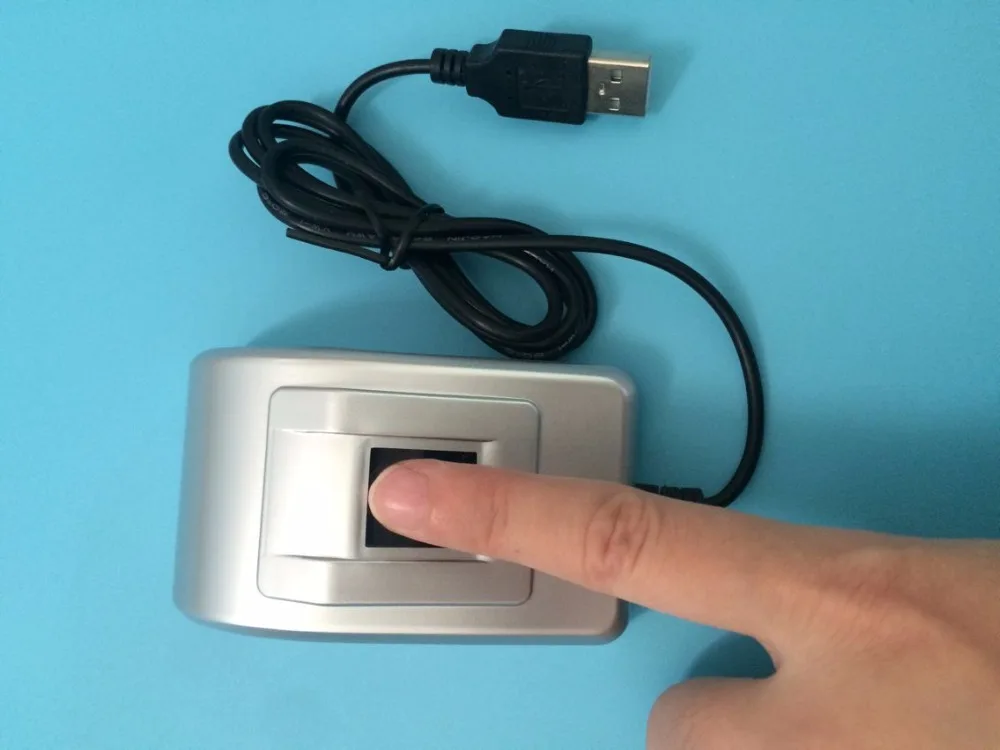
Overview: The Biometric ID Pad is used with Procare Check-in Solutions. To use, you simply place your finger on the glowing window, and the reader quickly and automatically scans your fingerprint.
How to Install the Fingerprint Reader
Fingerprint Reader Driver Windows 7
In this short video, learn how to connect the fingerprint reader, confirm it is recognized by your check-in computer, and enable the software settings so authorized child pickups may begin using it.
Contents:
- Install the Fingerprint Reader
How to Clean the Fingerprint Reader
Depending on the amount of use, the reader window will pick up dirt and salts from fingers over time and will need to be cleaned periodically.
Zk4500 Fingerprint Reader Driver
Contents:
- Cleaning instructions
How to Properly Use the Fingerprint Reader

You may use any finger (or thumb) with the Fingerprint Reader, however, your index finger of either hand will work best. Always place the pad of your finger (not your fingertip) flat onto the center of the reader’s clear window. Do not “roll” your finger. Apply gentle pressure, similar to pushing a button. Hold your finger on the reader for up to one-and-a-half seconds or until you see the reader’s light blink, then lift your finger. You should press firmly and release. Do not press and hold your finger for an extended period.
Will Scratches, Smears and Dust Affect the Fingerprint Reader
Fingerprint Reader Driver Linux
Yes. Scratches, pokes or other physical damage to the reader surface can compromise the system’s ability to recognize fingerprints. Such damage cannot be repaired. Please contact your sales representative for information on purchasing a replacement unit.
How is the Fingerprint Stored
Your actual fingerprint is not recorded and the system does not store any fingerprint images. Instead, the software extracts the unique features of each fingerprint and creates a mathematical representation, called a “fingerprint template”. This template can only be used to identify you for check in/out purposes. It cannot be used to recreate the original fingerprint. To further secure the template, it is encrypted. For these reasons there are no privacy issues nor any identity theft exposure.
Fingerprint Reader Driver
How to Install the Fingerprint Reader Drivers
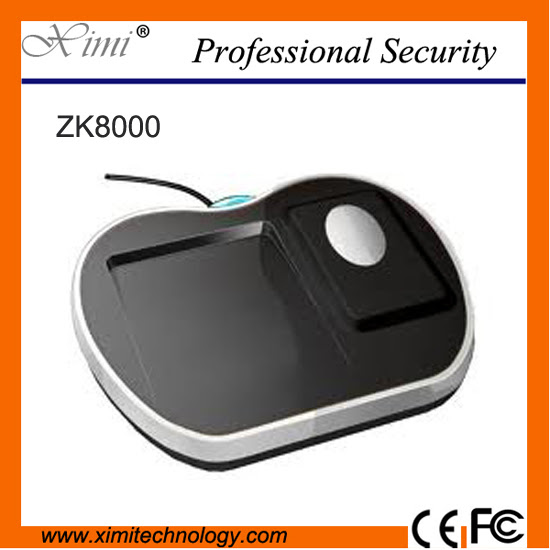
Download drivers for use with the biometric ID (fingerprint) readers used with Procare Software. Only use these drivers if directed to do so by a member of the Procare Technical Support team.
Need Some Training?
Fingerprint Reader Driver 2.3.0
Schedule some time with a Procare Training Specialist.
Need Some Training?
Schedule some time with a Procare Training Specialist.
Need Some Training?
Schedule some time with a Procare Training Specialist.