
ATUS Help Desk staff and consultants frequently make use of a software tool called TeamViewer to provide remote support to faculty and staff computers both on and off campus. A TeamViewer connection allows your support staff to see your desktop and 'remote control' your computer for troubleshooting purposes, just as if he or she were sitting in front of your computer. To use TeamViewer, you may be asked to download, install, or run one of the following programs:
The Quick Support Version runs TeamViewer temporarily on your computer, but no software is actually installed.
The TeamViewer full version is a program that is installed on your computer. There are several installation options. Your ATUS staff can provide installation assistance.
Enjoy real-time access to files, programs and networks using TeamViewer. TeamViewer Version 10 Free Download allows you to establish outgoing and incoming remote computer to computer connections. It helps you participate in online meetings with a remote team of employees. It also allows you to collaborate, make video calls, and chat with other groups of people with a simple click.
Sometimes to solve a task or fix an issue we need to connect to your machine via a remote assistance program - TeamViewer. Here you will find the information on how to download it, what data to send to us, and why you take no risk using it. How to download & install TeamViewer; What information to send us; How we handle issues on your PC. Give a strong password and it cannot be less than 6 characters. Anyone can login using TeamViewer in to your remote computer which is set up unattended access using this password and it must be secure. How to setup unattended access? Download the TeamViewer setup file and install. Run TeamViewer and click Connection Setup unattended access.
- Free teamviewer 9.0 download software at UpdateStar - TeamViewer is the fast, simple and friendly solution for remote access over the Internet - all applications in one single, very affordable module: Remote access to PCs and servers via InternetInstantly take control over a computer anywhere.
- Tutorial for TeamViewer 7 Android App ReviewLecture 12. How to: Download/Install Team viewer for Mac OS XLecture 13. Completely Uninstalling TeamViewer on Mac OSXLecture 14.
- See for yourself why millions of people around the world love using TeamViewer for remote access and remote control – download TeamViewer free for personal use. Download TeamViewer Free Try before you buy – experience the full power of TeamViewer for your business and unlock all the commercial features with a free 14-day trial (no credit.
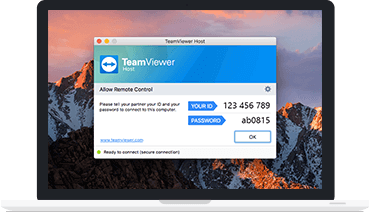
Software Information
How To Download Install Team Viewer For Macmadeprogram
Version: 12
License: Freeware
Author: TeamViewer
Last Update: Nov 28, 2016
TeamViewer Version 10 Free Download Features
TeamViewer Version 10 free download can be used in Microsoft Windows, Linux, Mac OS X, iOS, Android, Windows RT, Windows Phone and BlackBerry Operating Systems. The program offers a number of features that help you solve just any remote problem you could think of. Some of the most common solutions the program offers include remote control, file transfer, remote conferencing just to mention a few.
TeamViewer has a large collection of options. There is Screen Sharing for example, that allows you to connect and share screens one-on-one no matter how far the other person is. There is also Remote Control that helps you to manage your computer from a distance and assist someone from the comfort of your home. TeamViewer also offers Online Conferencing option. This allows you to connect multiple devices remotely and enjoy a high-quality video call no matter where you are.
How To Download Teamviewer On Mac
TeamViewer Version 10 free download is also a great tool to send and receive files with a click of a button. The program works perfectly on your computer, tablet or mobile devices meaning that you can be able to access TeamViewer from anywhere at any time.Basically, TeamViewer is a software that will handle every single problem associated with the remote desktop. With such amazing features, you will not need to look any further for software that can handle your remote desktop needs.Download the software today and have your first session up and running in just a few seconds.